
Four recording modes
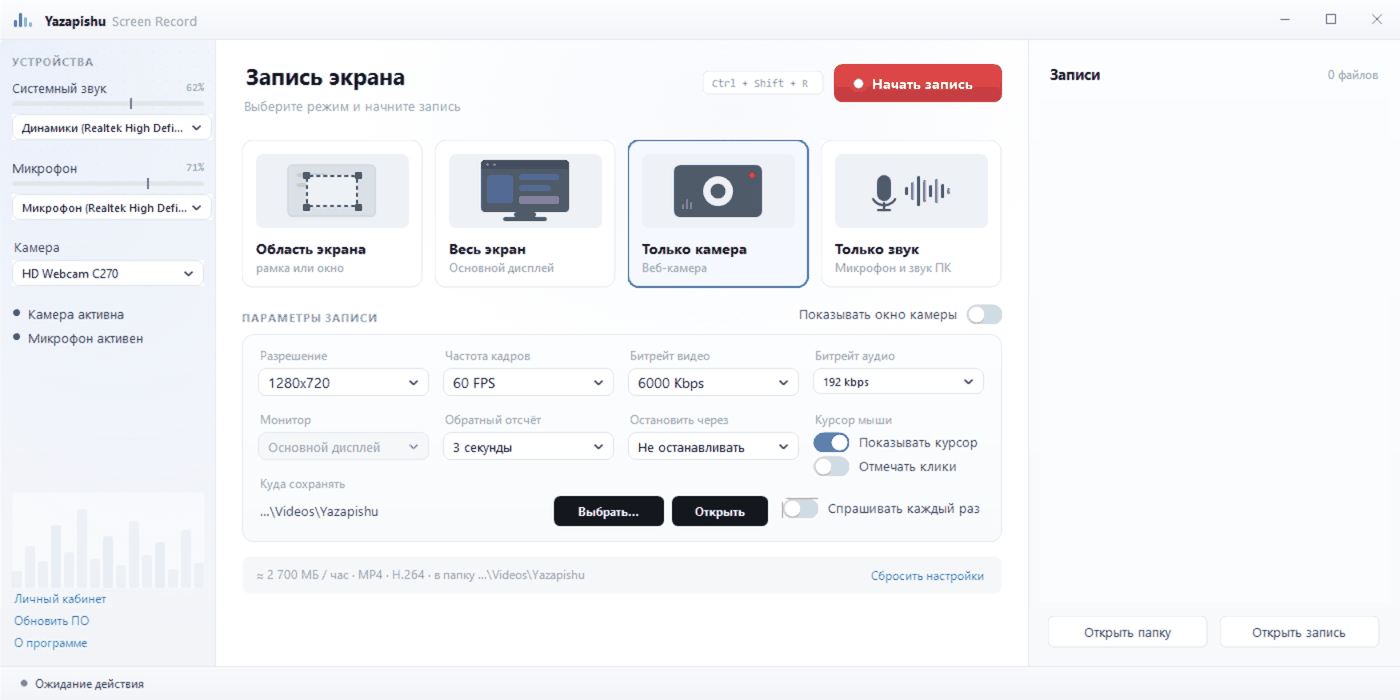
The whole screen, a selected area or a single window, the webcam alone or sound alone — one click switches the mode.
Yazapishu Screen Record captures the whole screen, a selected area, a single window or your webcam — with system sound and microphone. The finished file stays on your computer: the app sends nothing to the internet.
Available in English and Russian — pick the language during installation or switch it any time inside the program.
Everything you need to record a lesson, a webinar, a call or a how-to.
The whole screen, a selected area or a single window, the webcam alone or sound alone — one click switches the mode.
Record what your apps play and your own voice together or separately. The level of each source is shown on a meter and can be set before you start.
A camera inset on top of the screen recording — handy for lessons and walkthroughs, where the speaker should be visible.
Resolution, frame rate, video and audio bitrate. The app shows straight away roughly how much disk space an hour of recording will take.
Start and stop with Ctrl + Shift + R without bringing the window up. A recording can be paused and continued into the same file.
The recorded file can be uploaded in your account to get the text of what was said — with timecodes and speakers separated.
From download to finished file — a couple of minutes.
Download the installer and run it: the wizard takes about a minute. No registration is needed to record.
Screen, area or camera; turn on the microphone and the webcam overlay if you need them. Start with the button or the hotkey.
The finished MP4 appears in the list of recordings: open the folder, send the file to your colleagues, or upload it for transcription in your account.
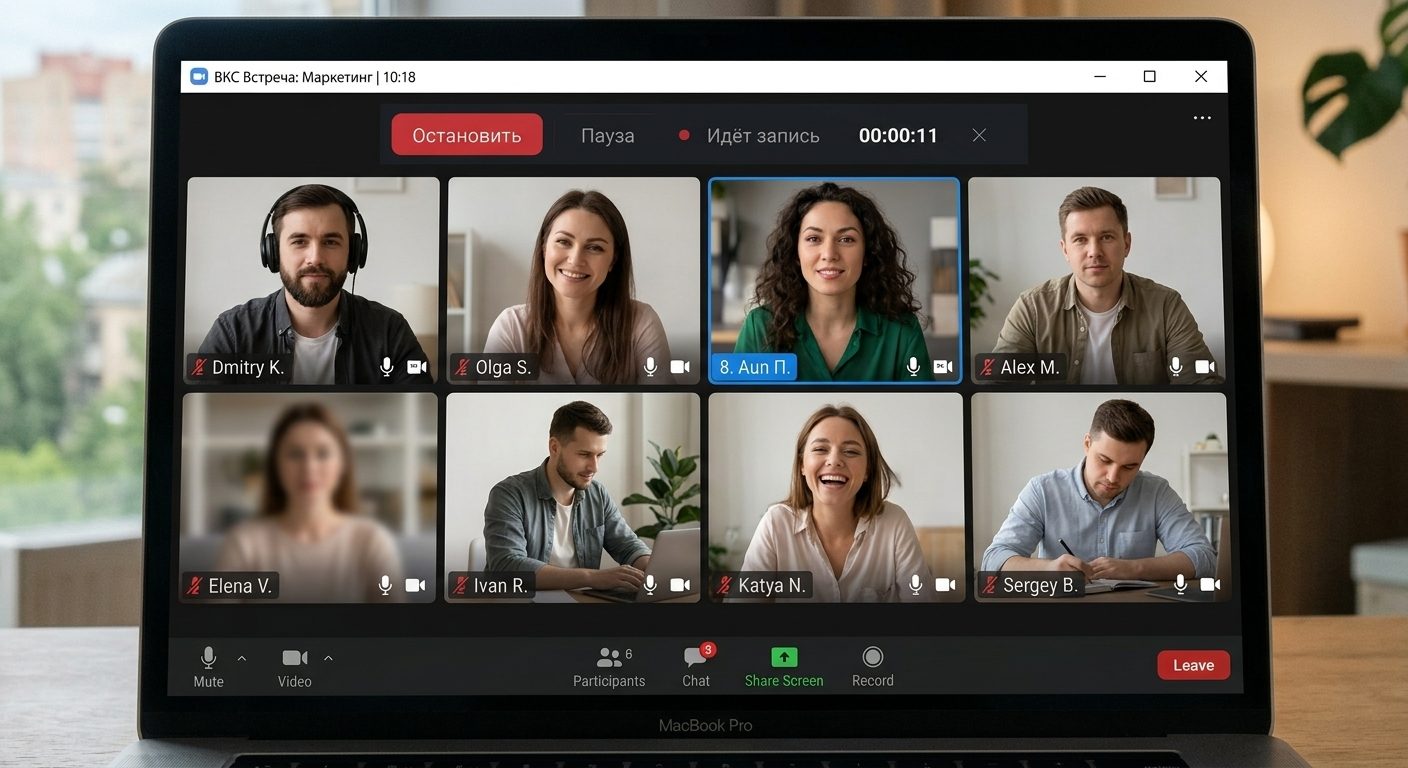
The app does not care which platform the meeting runs on: it records whatever is visible and audible on your screen.
The app sends nothing to the internet — the recording stays on your disk. If you upload a file for transcription yourself, it is deleted from the server automatically within a few hours, and only the text remains in your account.
No caps on length, no watermarks and no subscriptions. Free means free.
3.3 MB, a minute to install and one clear window instead of a dozen tabs of settings.
Files are written to your own disk as ordinary MP4. Nothing goes online: the app does not upload recordings to a server.
Version 1.6.0 · 3.3 MB · Windows 10 / 11 (64-bit) · no subscriptions and no hidden fees.
Download the file and run it — the setup wizard walks you through the steps. The installer is code-signed, so Windows shows the publisher IP Badreev Rail Ildusovich.
If a new version does not have many downloads yet, SmartScreen may show the blue “Windows protected your PC” dialog. Click “More info” → “Run anyway”.
Both English and Russian. The installer asks for the language on the first screen, and you can switch it later with the link at the bottom-left of the program window. Everything happens in a single window: choose one of the four mode cards, adjust the quality if you wish, and press the red button or Ctrl + Shift + R.
This does not affect the recording itself: the app captures your screen and your sound, and the MP4 it produces has no language of its own. Transcription on the site works with speech in 20+ languages.
Yes. Screen recording is free: no limit on length, no watermarks and no subscription. Only the automatic transcription of recordings on the website is paid — that is a separate service of Yazapishu.
Before it starts, the app asks where to save the recording and fills in a name with the date and time — any folder or drive will do. The format is MP4 (H.264 video): it opens in any player and is accepted by YouTube, VK, Telegram and video editors.
Every recording you make is collected in the list on the right, and the “Open folder” button shows the selected file in Explorer.
Yes. The app records the system sound (what you hear from the speakers) and the microphone. Each source can be switched on separately and its volume set in advance — the level is visible on a meter before the recording even starts.
No. Recording, pausing and saving the file work entirely on your computer, with no network connection. The app only needs the internet to check for updates.
Transcription is done on the website: log in to your account and upload the recorded file — the finished text appears there. Any other file, not recorded with this app, can be transcribed the same way.
Yes. The app records the screen, so it suits any platform: Zoom, Google Meet, Microsoft Teams, Webex, Yandex Telemost, VK Calls or a webinar in the browser. The system sound carries the other participants' voices and the microphone carries yours, so the whole conversation is in the recording.
The finished meeting can be uploaded for transcription in your account: the text appears there — with timecodes and speakers separated. The same place offers AI post-processing (a summary, text clean-up, tone analysis) and export to DOCX, TXT or SRT. Transcripts stay in your account, while the source video is deleted from the server automatically a few hours after processing.
Email: info@yazapishu.ru
Address: Kazan, Tatarstan, Russia